Around the House
#39 · Clean between keyboard keys
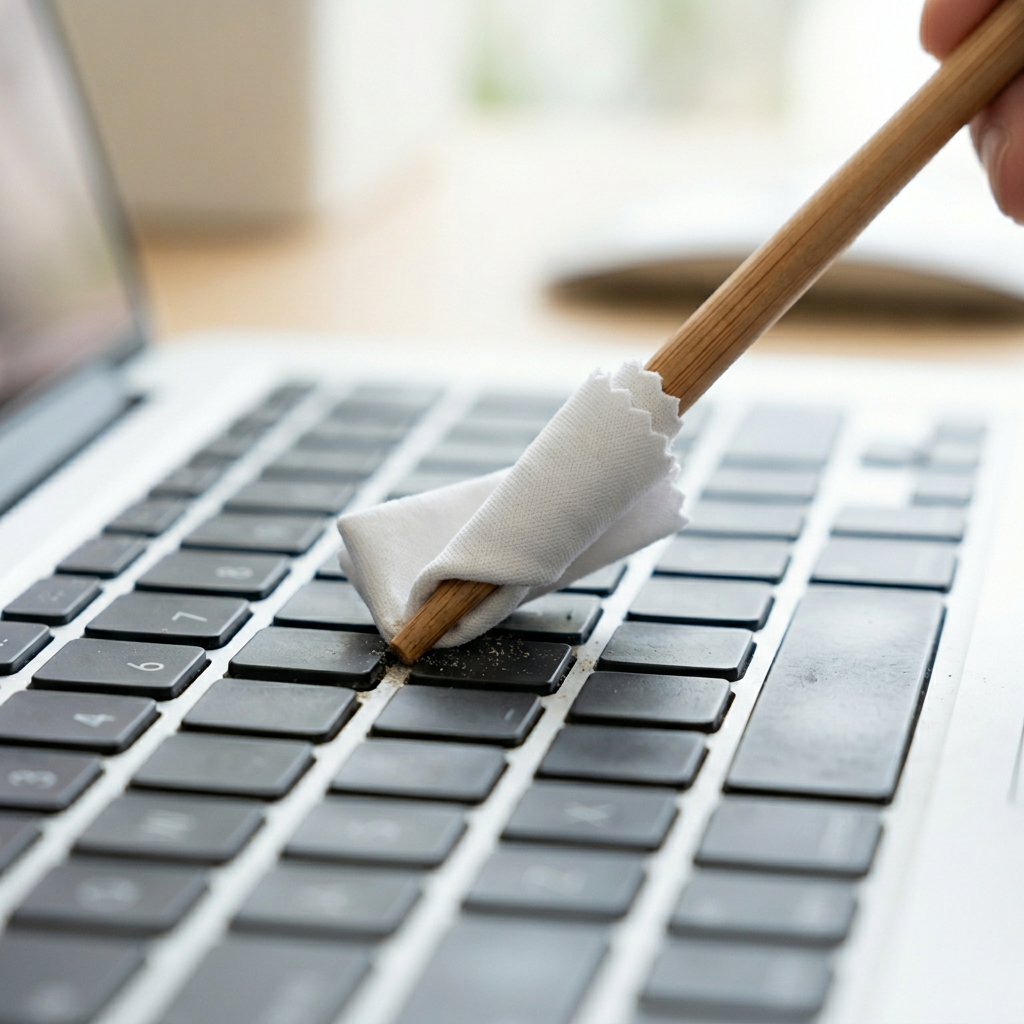
Wrap a small piece of microfibre cloth around the end and sweep out the crumbs, dust, and things you'd rather not identify.
Every keyboard eventually grows a private ecosystem of crumbs, hair and grey dust in the channels between the keys. A chopstick is almost exactly the width of that channel, stiff enough to push debris along it, and blunt enough not to lever a keycap off by accident.
How to do it
- Unplug the keyboard, or switch off and disconnect a wireless one. On a laptop, shut it down properly.
- Turn it upside down over a bin and tap the base firmly. A surprising proportion of the problem falls straight out.
- Wrap a corner of a microfibre cloth over the chopstick tip and hold it there with your thumb.
- Run it along each channel between the rows, using light pressure and working in one direction so you push debris out rather than back and forth.
- For greasy shine on the keycaps themselves, dampen the cloth very slightly with isopropyl alcohol - damp, not wet.
- Finish with a can of compressed air, held upright and used in short bursts, to clear anything you loosened.
Why it works
Most keyboard grime is held in place by a thin film of skin oil rather than sitting loose, which is why shaking alone never quite works. A cloth-covered tip gives you an edge narrow enough to fit the channel and enough friction to lift the film, without the hard contact that damages switch mechanisms.
If it isn't working
- A key feels mushy or sticks after cleaning: something has probably been pushed underneath it. Prise the keycap off carefully - most snap straight back - and clear it.
- The chopstick catches on a keycap edge: back off. Levering upwards is how keycaps and scissor clips break.
- Marks that won't shift: that is usually worn keycap coating rather than dirt, and it doesn't come off.
Tips & warnings
- Do this monthly and it takes two minutes. Do it yearly and it takes half an hour.
- Hold compressed air upright. Tilting it sprays liquid propellant into the switches.
- Mechanical keyboards with removable caps are far easier - pull them all off, wash them in warm soapy water, and the chopstick only has to do the base plate.